
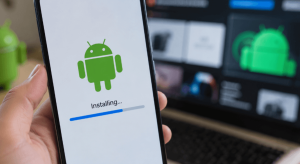



Google is moving forward with new Android developer verification rules designed to place additional safeguards around sideloaded applications. While the changes could eventually make installing apps from unverified developers more difficult, Android power users will still have several ways to install software outside approved app stores.
The first phase of the rollout began Sept. 30, 2026, for users installing apps from participating stores in Brazil, Indonesia, Singapore and Thailand on certified devices running Android 7 or later. A broader rollout is planned for 2027.
Developer Verification Changes Android Sideloading
The new system focuses on verifying the identity of Android developers. Applications distributed through supported stores or published by developers enrolled in Google’s Android Developer Verification Program can continue to be installed normally.
Approved stores currently include the Google Play Store, HONOR App Market, OPPO App Market, Samsung Galaxy Store, Transsion Palm Store, vivo V-Appstore and Xiaomi GetApps.
However, apps from developers who have not completed Google’s verification process may face installation restrictions when the protections apply.
That can affect more than unfamiliar APK files downloaded from obscure websites. Apps distributed through services such as GitHub and F-Droid, along with community-modified applications whose signing keys differ from the originals, could also be treated as unverified.
Google has clarified that the initial enforcement is narrower than originally understood. In the first participating countries, users can still install applications from unverified developers outside the affected participating stores. That means the workarounds are not yet necessary for every sideloading scenario.
Google Offers an Advanced Flow for Unverified Apps
For users who eventually encounter the restrictions, Google provides an official Advanced Flow.
The process requires enabling Developer Options and turning on the setting for apps from unverified developers. Users must acknowledge security warnings, restart the device and complete a mandatory 24-hour waiting period.
After the delay, users return to Developer Options, authenticate using their PIN or biometrics and choose whether to allow installations temporarily for seven days or indefinitely.
Once enabled, Android’s package installer provides an “Install anyway” option for applications from unverified developers.
The restart and waiting period are intended to make it harder for scammers to guide victims through the process while attempting to install malicious software.
ADB Provides Another Official Route
Android Debug Bridge, better known as ADB, offers another way to install applications from unverified developers.
Users need to enable USB debugging in Developer Options. Apps can then be installed through wired or wireless ADB without the 24-hour waiting period required by Advanced Flow.
ADB has long been widely used by Android developers and enthusiasts for device management, debugging and application installation.
Shizuku provides another option for technically experienced users. Because it can rely on Android’s wireless debugging capabilities, it can be used to install and update apps in a manner similar to ADB.
Rooted Phones and Custom ROMs Remain Alternatives
Users with rooted Android devices can also install applications using elevated system permissions, although rooting introduces additional complexity and potential security considerations.
Custom Android operating systems provide another route. According to the original report, projects including LineageOS and GrapheneOS are not adopting Google’s Developer Verifier framework, meaning devices running those operating systems would not be subject to the same verification mechanism.
For most Android owners, however, these approaches are unlikely to be necessary because most applications are downloaded through mainstream app stores.
Existing Sideloaded Apps Will Continue Working
Applications installed before the restrictions take effect are expected to remain on devices and continue operating. Android will not automatically remove them.
Updating an existing app from an unverified developer may require users to complete one of the permitted sideloading methods once the restrictions become active in their region.
Users also do not need to leave Developer Options enabled after completing Advanced Flow. Turning Developer Options off does not cancel the temporary or indefinite permission previously granted.
Google’s developer verification rollout represents a significant change to Android’s traditionally open approach to software installation, but it does not eliminate sideloading. As enforcement expands, mainstream users are likely to see little difference, while developers and Android enthusiasts will retain several methods for installing software outside conventional app stores.

Ambrose Sherman writes for Hardwood Paroxysm, covering news, politics, business, technology, sport, entertainment, and lifestyle. He focuses on clear reporting, current affairs, and stories that matter to readers, providing reliable information in an accessible and engaging way.